Booking software built for couriers and local delivery services
Take delivery bookings by zip code, keep each driver on one zone, and stop taking jobs that cross the whole city.
Made for your trade
You run a courier business. Not a call centre.
Your drivers should be on the job, not parked between two addresses on opposite sides of town. Your phone should not ring every time somebody wants a price. ZipScheduler puts your service area at the front of the booking, so the deliveries that land are the ones you can actually reach and profitably serve.
- Area first
- before any time is shown
- One tap
- to confirm and assign
- Automatic
- follow up and reviews
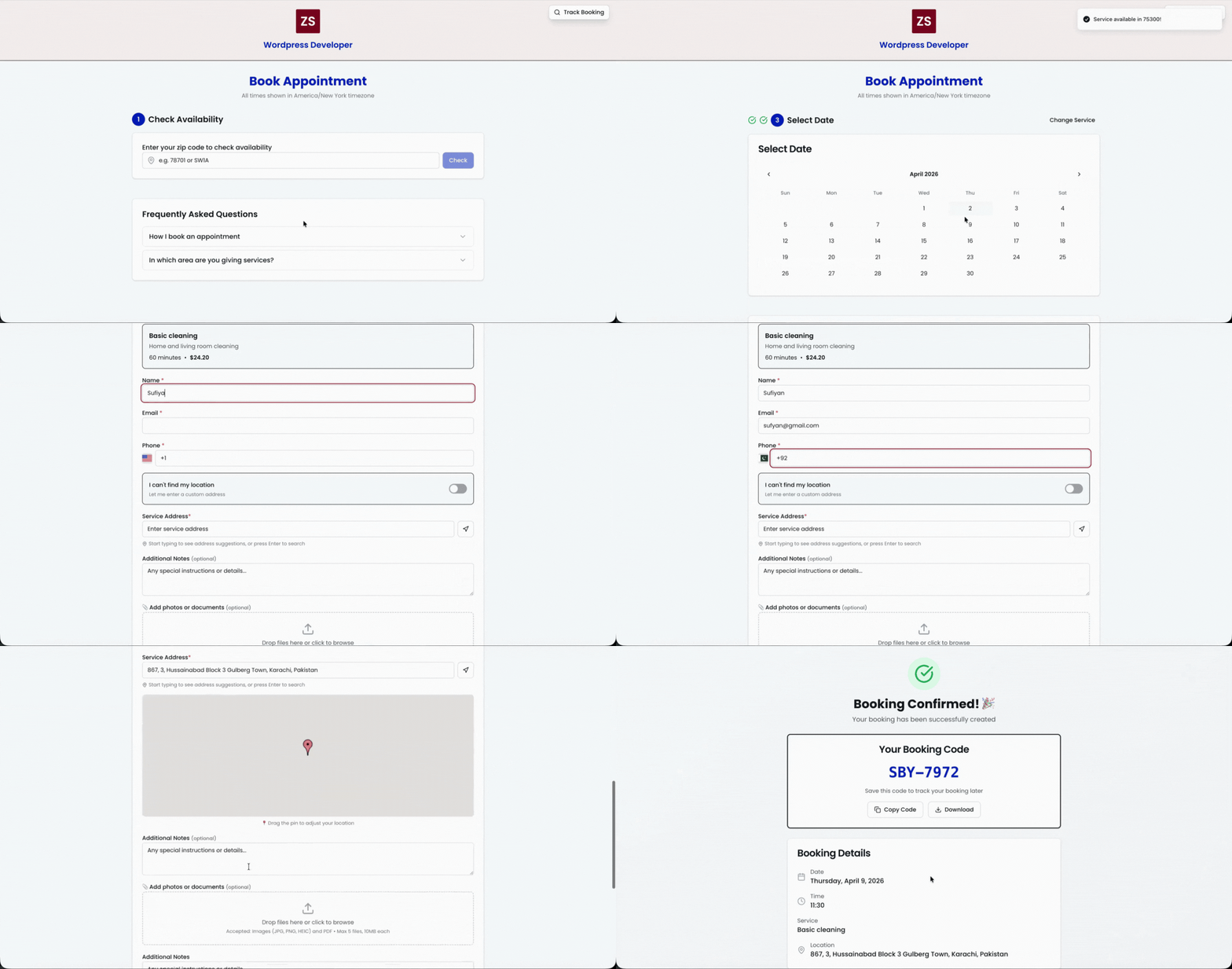
A customer enters their postcode first. Inside your area they see real times. Outside it, they never reach a booking form.
Sound familiar?
Three things quietly costing you money
Every courier business we speak to describes the same three.
The wrong job ruins the day
One delivery outside your zone eats the margin from four inside it. Asking for the zip code first keeps you inside the area you can serve.
Customers want to know where it is
Every booking gets a tracking link, which stops the calls asking whether the driver has left yet.
Different sizes need different vehicles
List parcel, large item and van load as separate services with their own durations and daily limits per area.
The cost is almost always the same: distance between jobs.
Where the time comes back
Let customers book freely. Keep control of where and when.
ZipScheduler turns your local service rules into a clean, self serve experience. Every booking follows the areas, hours, and capacity you set.
Service areas stay protected
Only the zip codes you serve can move forward to a booking.
Availability stays honest
Working days, booking buffers, and capacity rules apply before a customer picks a slot.
Every job arrives prepared
Service details, customer notes, and contact information land in one place.

Designed for local teams
How ZipScheduler works for your courier business
Everything runs from one dashboard: your zip codes, your services, your team, and your customer emails.
Customers book by zip code
Your booking page asks for a zip code first. Customers only see days and times where your drivers actually work, so you never get requests from areas you do not serve.
Different schedules for different areas
Run Mondays in one neighborhood and Thursdays in another. Each zip code gets its own working days, hours, slot length, and daily limits, which keeps your routes tight and your drive time low.
Dispatch your team in seconds
Assign deliveries to your drivers from one dashboard. They get an email with the address, directions, and customer details, plus a live status they can update from their phone.
Reviews and repeat business on autopilot
After each job, ZipScheduler can send review requests, satisfaction checks, and rebooking offers automatically, so your courier business keeps growing without extra admin work.
Up and running
Live in one afternoon
No onboarding call, no implementation fee, no data migration. Three steps and your booking link is ready to share.
Add your zip codes
List every area you serve with its own working days, hours, and daily booking limits.
Add your services
List the deliveries you offer with durations and prices, then customize your booking page with your logo and colors.
Share your link
Put your booking link on your website, Google profile, and social media. Bookings arrive as pending and you confirm with one click.
Then every deliverie follows the same path
Ready to stop driving across town?
Add the areas you serve, list your deliveries, and share one link. The free plan is enough to take real bookings today.
No credit card required
Questions, answered
Frequently asked questions
How does online booking work for a courier business?
You add the zip codes you serve, set working days and time slots for each area, and share one booking link. Customers enter their zip code, pick a service and a time, and the deliverie request lands in your dashboard as pending until you confirm it.
Can I stop customers outside my service area from booking?
Yes. That is the core idea of ZipScheduler. If a zip code is not on your list, the customer sees a friendly message instead of a booking form, so you never waste time on deliveries you cannot reach.
How much does scheduling software for a courier business cost?
ZipScheduler has a free plan that includes online booking for up to 3 zip codes. The PRO plan costs 24 dollars per month, or 198 dollars per year, and includes 300 zip codes, 100 services, 10 team members, email marketing, automated follow up emails, card payments and deposits, and webhooks. There are no per user fees and no contracts.
Explore your trade
More local service use cases
Take bookings from the right customers, at the right times.
Create your booking page, add the ZIP codes or postcodes you serve, and share one link everywhere.