A booking page that looks like yours
Your brand, colours, and messaging on the page your customers actually see.
ZipScheduler controls where you take bookings, when you are available, and what happens after a customer books. Here is what that looks like in practice.

The idea underneath all of it
Most booking tools ask when you are free. For a business that travels, the useful question comes first: is this address somewhere worth going at all? Every feature on this page follows from answering that one first.
Inside your area, real times. Outside it, no booking form at all.
Area control
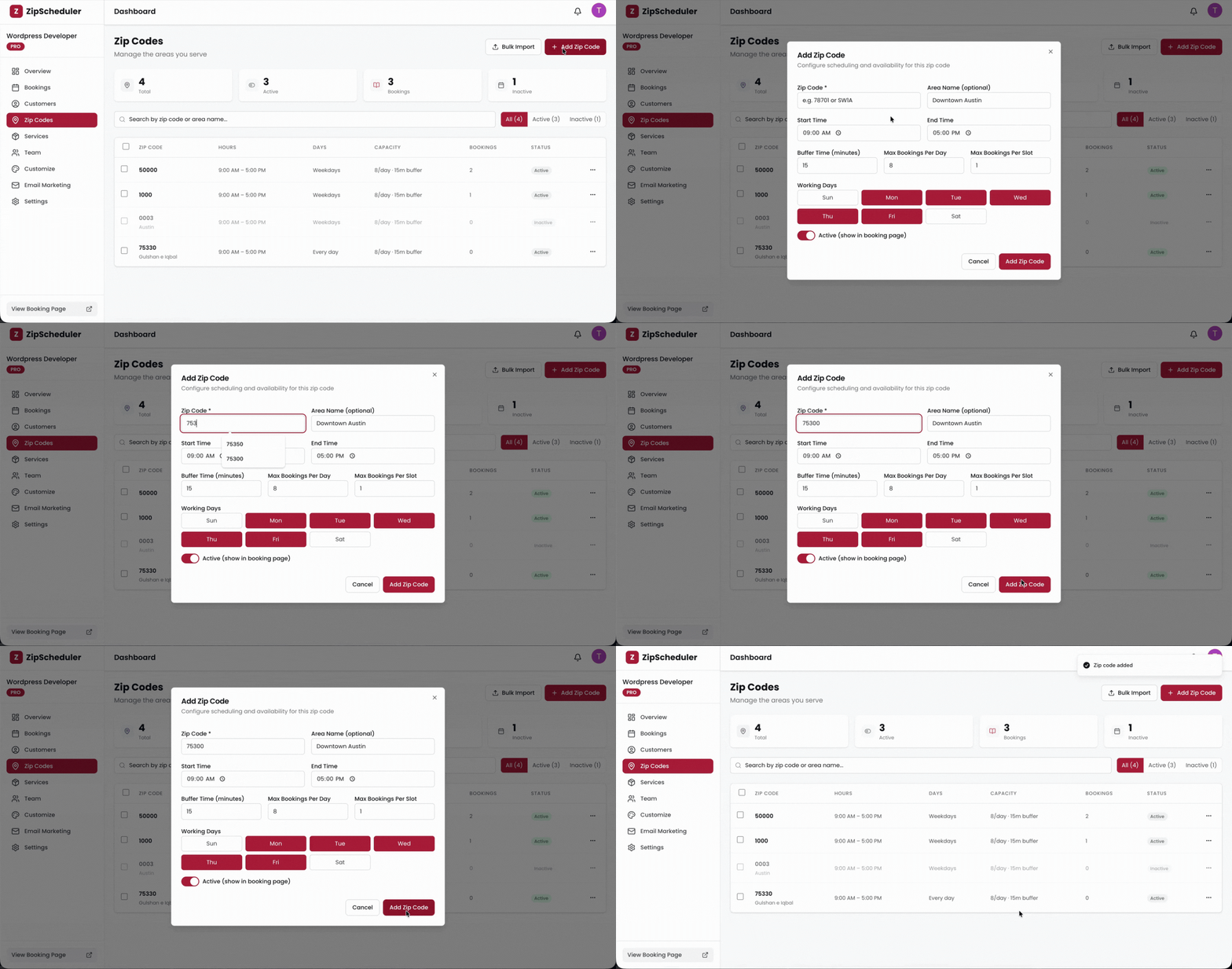
Add the zip codes or postcodes you cover and give each one its own working days, hours, slot lengths, and daily limits. A customer outside them never reaches a booking form at all.
What your customer sees
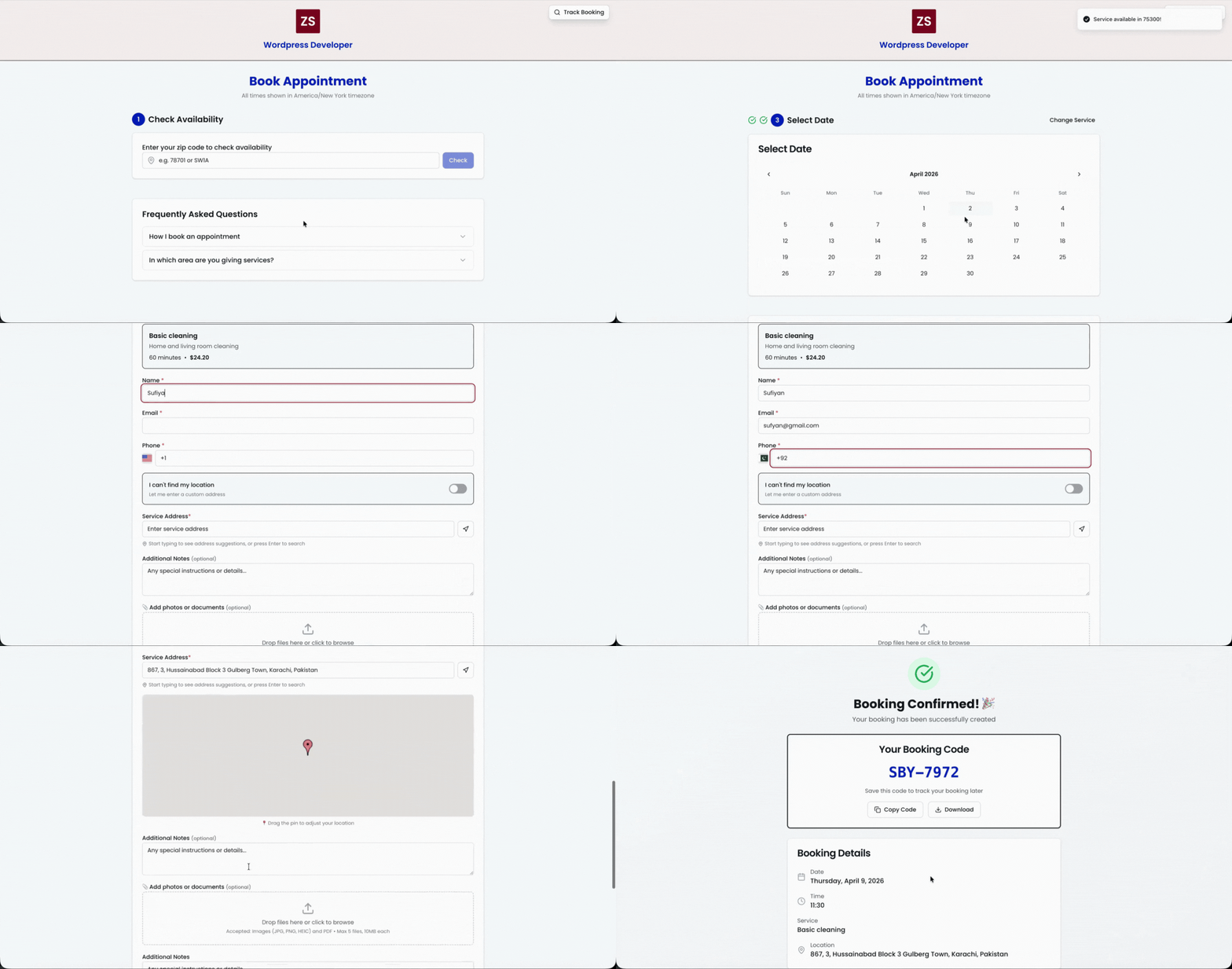
Your customer enters their area, sees only the slots you can genuinely serve there, and books in a few taps. No back and forth, no quote request, no phone tag at nine in the evening.
Services and forms
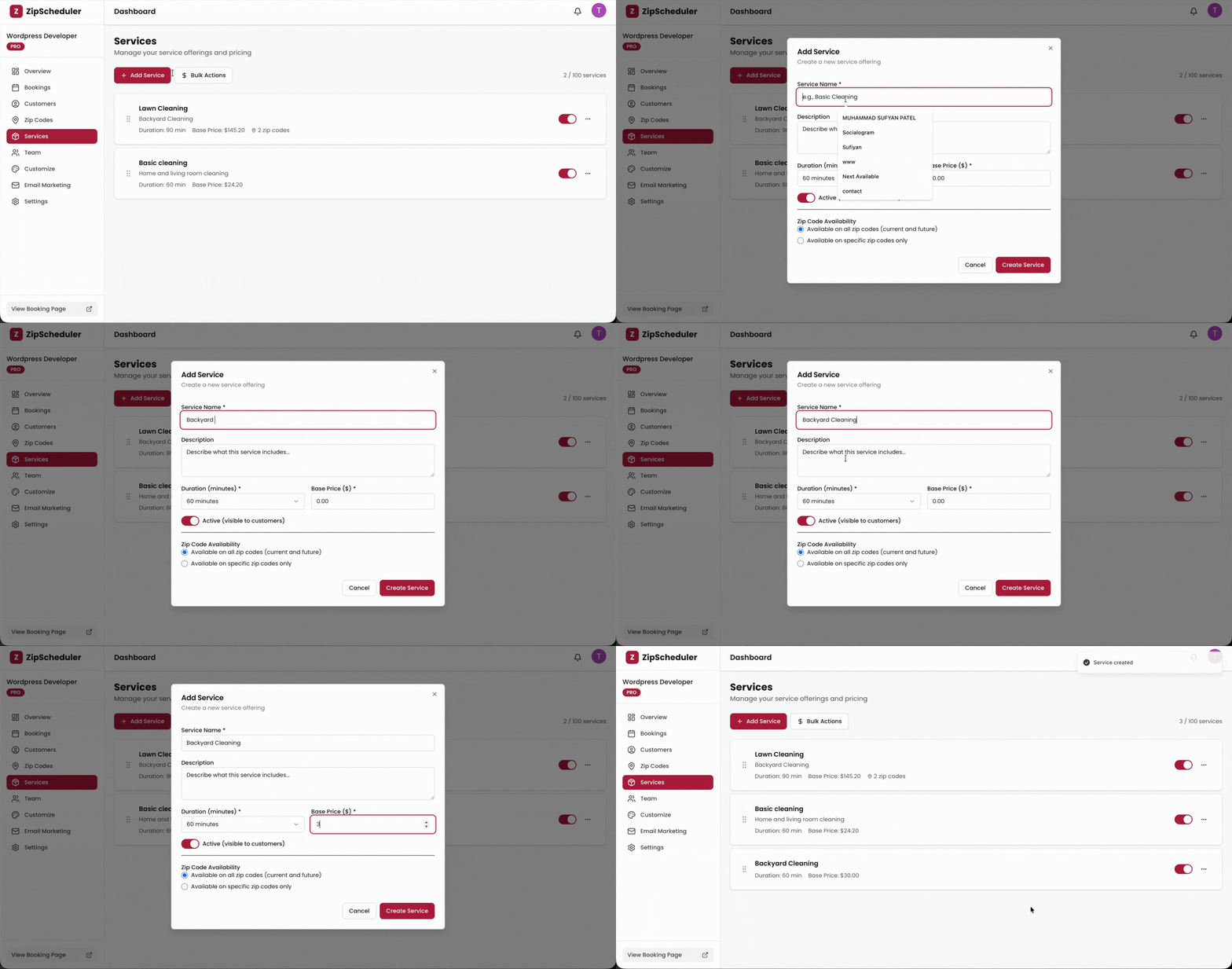
Each service carries its own duration, price, and deposit, so a three hour job never lands in a thirty minute slot. Ask the questions that matter for that job before the booking is confirmed.
Team and dispatch
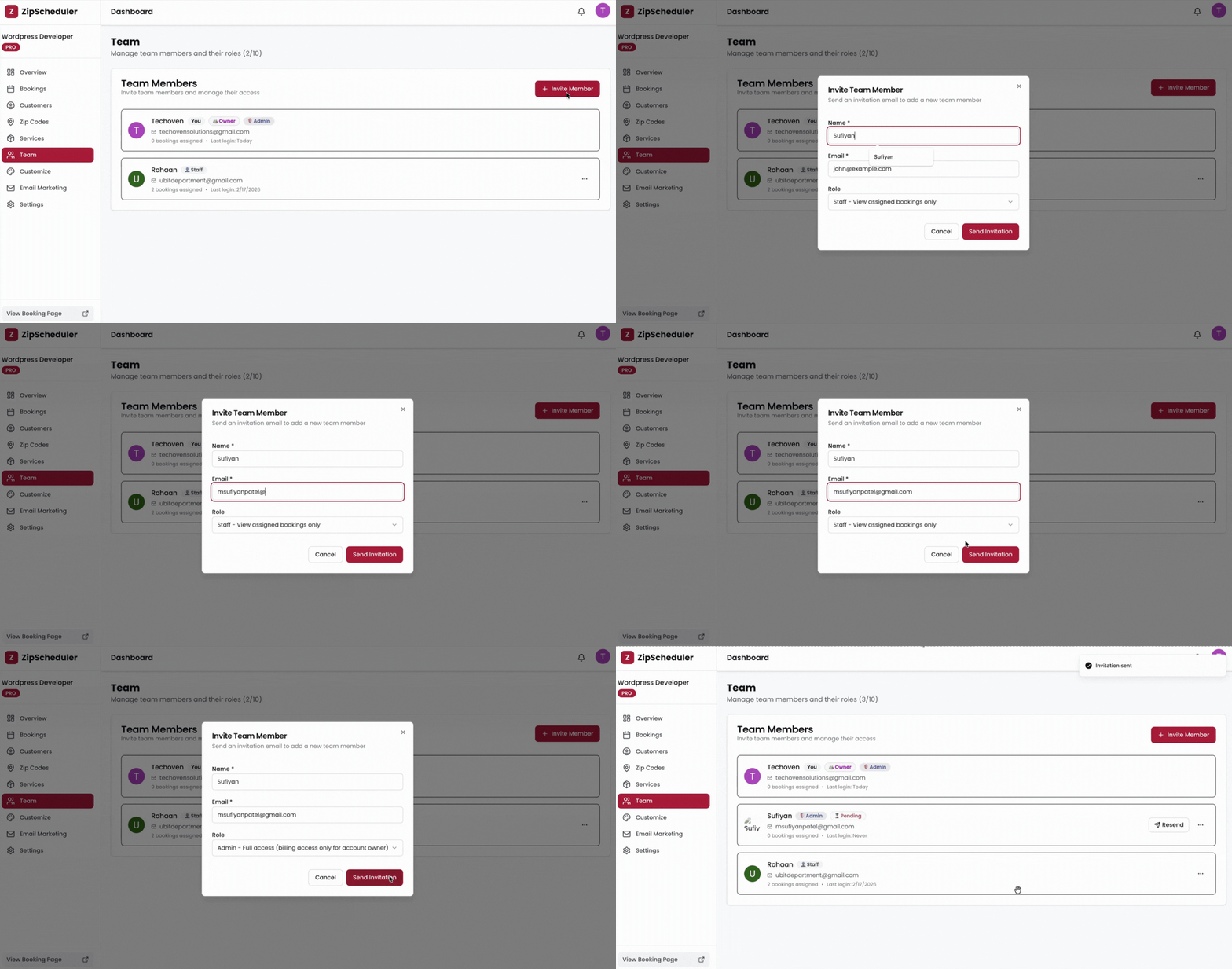
Add your crew, assign work in one tap, and give each person their own login and schedule. PRO includes ten team members at one flat price, so growing does not change your bill.
Follow up and growth
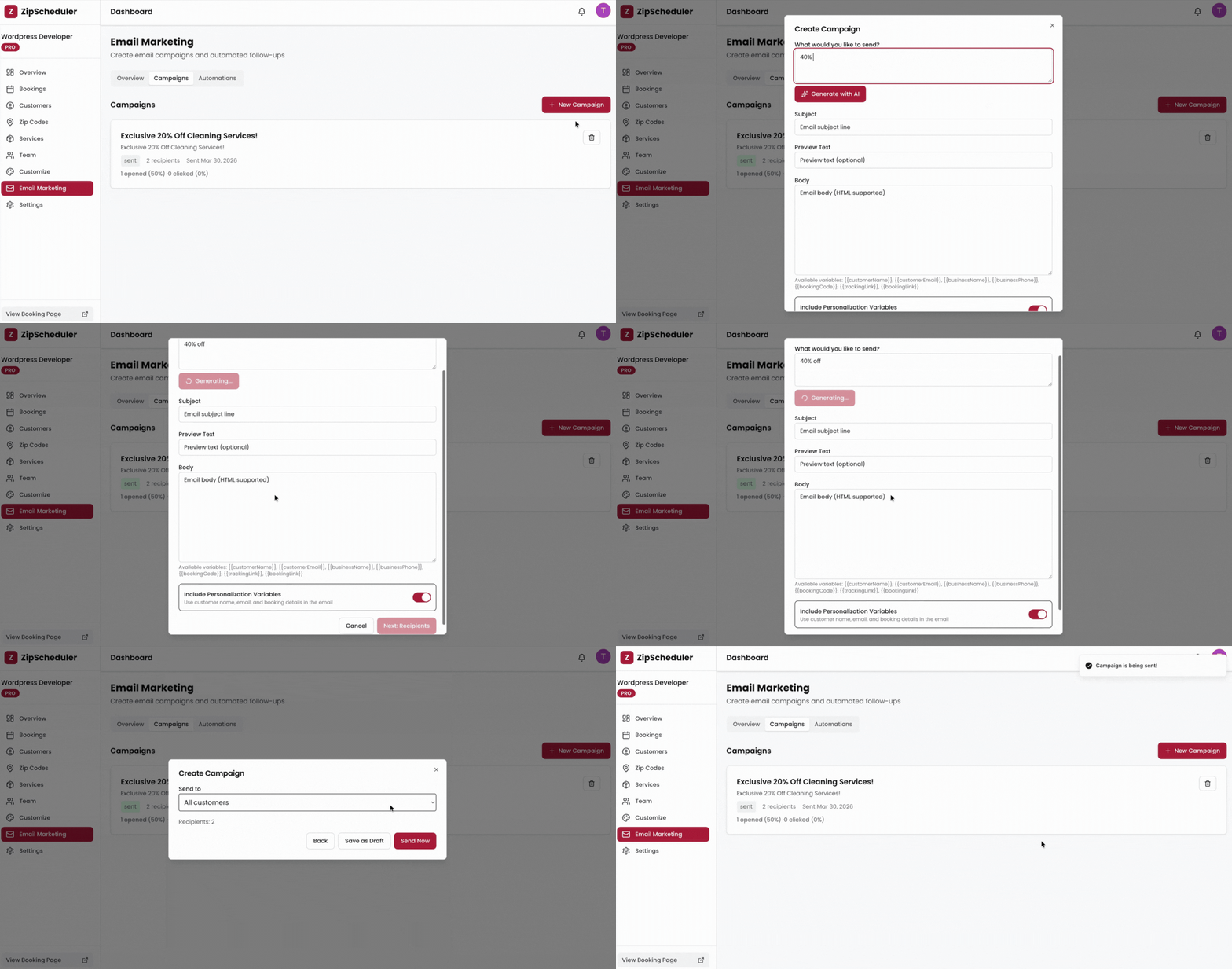
ProReview requests go out when goodwill is highest. Rebooking reminders land on the cycle each customer actually keeps. Campaigns reach the people who already paid you once.
Also included
Smaller than the five above, and still the difference between a booking tool you tolerate and one you stop thinking about.
Your brand, colours, and messaging on the page your customers actually see.
Bookings, revenue, email usage, and the parts of your setup asking for attention.
Customers check their own status on a tracking link instead of calling to ask.
Connect your own Stripe account and take a deposit or the full amount at booking.
Push booking events into your CRM, n8n, or anything else that speaks HTTP.
Timezones, currencies, lead times, and booking windows that fit how you work.
Zip codes, postcodes, and postal codes all work the same way, in your own timezone.
Working hours, buffers, and capacity, set per area rather than once for everything.
Every customer who books is your contact, in your dashboard, exportable any time.
Up and running
No installation, no onboarding call, no card until you decide to upgrade.
Start with the essentials
Set up a real booking flow before you pay anything. Upgrade when your service area, your team, and your follow up needs outgrow it.
Compare plansFree
$0 forever
Pro
$24/month
No. Adding your areas and your services is enough to take a real booking. Everything else can wait until you want it.
The free plan gives you a working booking page with area rules, a limited number of zip codes and services, and a monthly email allowance. PRO at 24 dollars per month adds reviews, card payments, webhooks, 10 team members, and the full marketing tools.
Yes. PRO includes 10 team members at one flat price, each with their own login, assigned jobs, and schedule.
Yes. Zip codes, postcodes, and postal codes all work the same way, with currency, tax wording, date format, and timezone following the region you operate in.
Create your booking page, add the ZIP codes or postcodes you serve, and share one link everywhere.